How Frame Theory OS works: from first lead to the numbers.
One custom-built dashboard for your leads, invoices, content, clients and team. Here is the whole loop in seven steps, so you can see exactly what running your business from one place looks like.
Free, no obligation. Built around your business, not a fixed template.
Click through the real thing.
No login, no signup. Follow the guide and see how Frame Theory OS runs a business, on real screens with sample data.
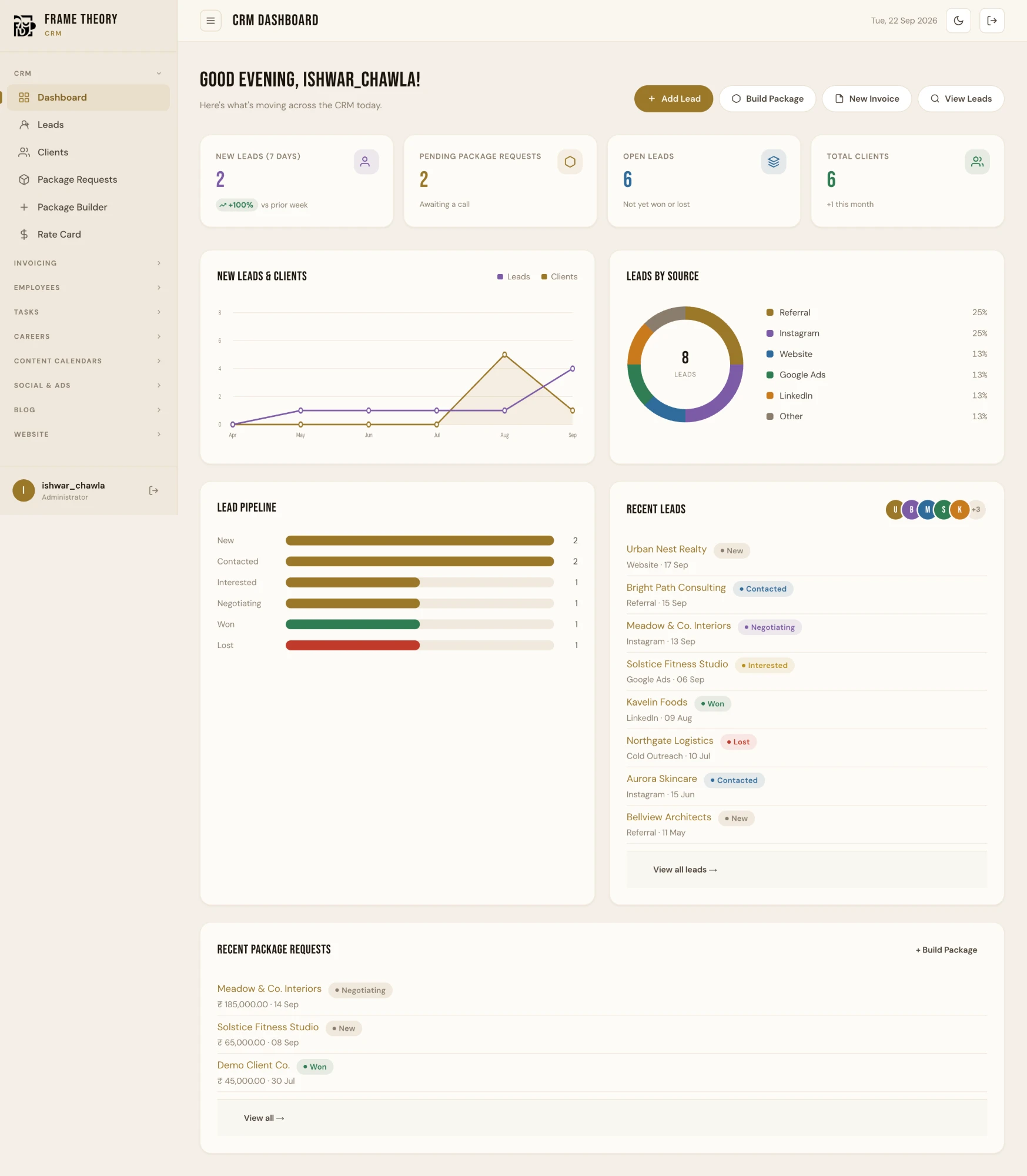
Your business at a glance
New leads, pending requests, open deals and total clients, live the moment you sign in. Click the highlighted cards to continue.
That's the tour.
Yours would be built around your business: your branding, your workflow, and only the modules you need. Book a free tour and we'll show you what that looks like.
All data shown is sample data. Nothing you click here is saved or connected to a real account.
Running a business shouldn't take five different apps.
Most growing businesses run on a patchwork: leads in a spreadsheet, chats in WhatsApp, invoices in Word, files in a drive, tasks in someone's head. It works, until it doesn't.
Scattered, and always one step behind
- A lead goes cold because nobody remembered to follow up
- You chase payments and can't say who owes what
- Clients keep asking "any update?"
- You build the month-end picture by hand
- When someone leaves, their knowledge leaves too
One place, and always in control
- Every lead, follow-up and deal tracked in one pipeline
- Invoices, payment links and overdue amounts at a glance
- Clients see their own progress without asking
- Live numbers, ready whenever you look
- Everything stays in the system, whoever is on the team
A dashboard built around your business.
Frame Theory OS is a custom-built business management dashboard. It is the system we built to run Frame Theory itself, and now we build a version for your business: your branding, your workflow, and only the modules you actually need. It is not a template with your logo pasted on. It is software made to fit how you already work, so your team doesn't have to change their habits to use it.
What changes when it's all in one place.
Nothing slips through
Every enquiry and follow-up is tracked, with a reminder attached. Fewer forgotten leads means fewer lost sales.
Get paid faster
Send a clean invoice with a payment link, and see at a glance who is overdue, instead of chasing from memory.
Look more professional
Give clients a branded portal of their own. It signals a business that has its act together, and saves you the update calls.
Know your numbers
Revenue, what is owed, lead sources and team workload are live on a dashboard, not rebuilt by hand at month end.
Keep your team accountable
Tasks have owners, priorities and due dates. Each person only sees the parts of the system you allow.
Stop re-typing everything
Bring existing contacts, content and records in with a bulk import, so switching over doesn't mean starting from zero.
Who is it for? Any business that manages customers, ongoing work, invoices, or a team: agencies, real estate firms, clinics, retailers, manufacturers and more.
Everything in one loop.
Pick any step to jump to it, or scroll to follow a customer from first enquiry to money in the bank.
Capture every lead in one place
Every enquiry, from your website, Instagram, referrals, or a spreadsheet, lands in one list with its source and stage attached. Nothing lives in someone's WhatsApp.
-
Bulk importBring your existing contacts in from a CSV or a paste out of Excel, no re-typing.
-
Source trackingSee which channels actually bring leads: website, referral, Instagram, ads.
-
Follow-up historyEvery call and note is logged against the contact, so anyone can pick up the thread.
Move deals through the pipeline
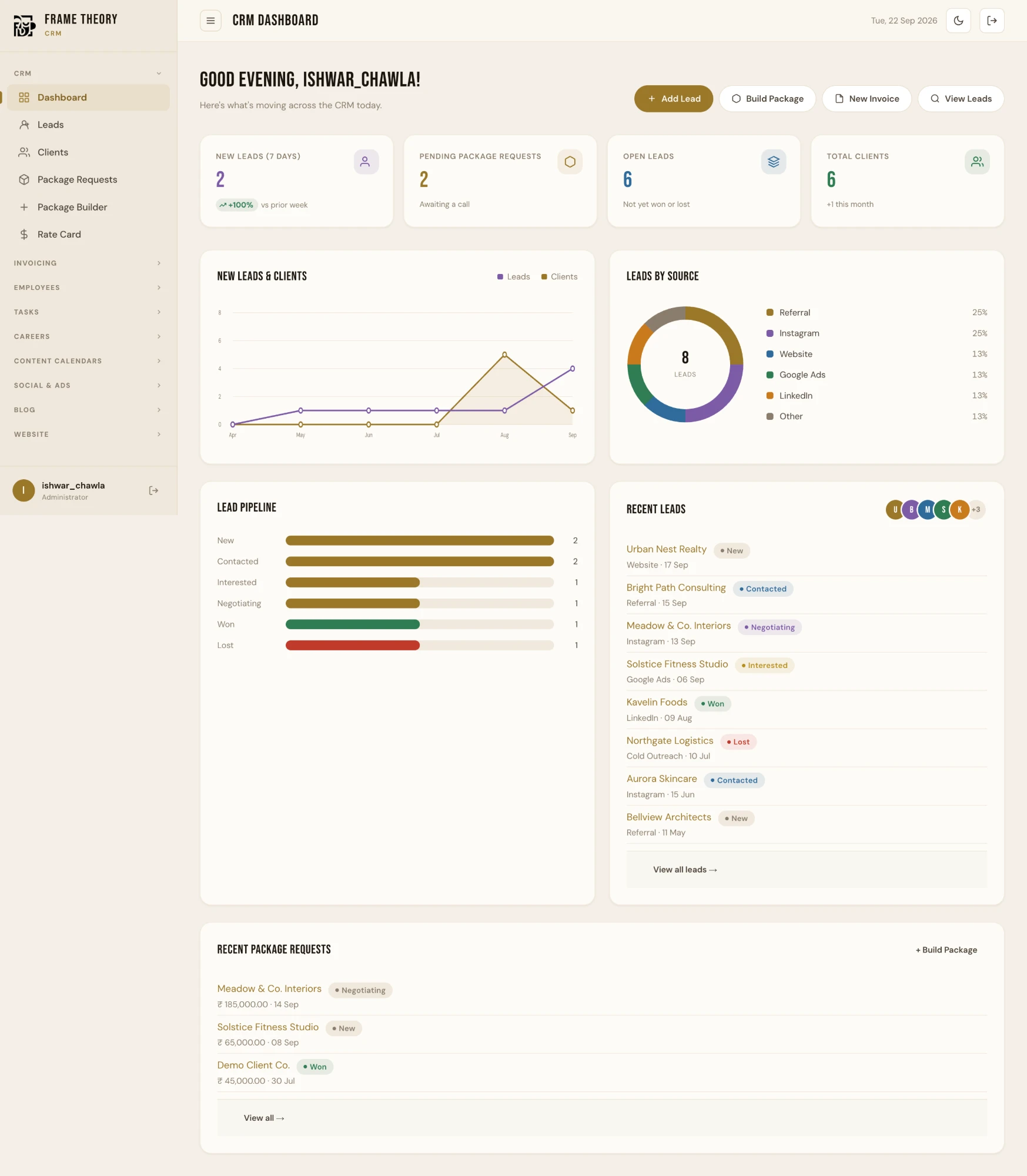
A live view of every deal by stage, from first contact to won or lost. You always know what needs a follow-up today and what is about to close.
-
Stage by stageNew, contacted, interested, negotiating, won, lost, with counts at a glance.
-
Packages and quotesBuild a tailored package or quotation for a lead without leaving their record.
-
Tasks and remindersAssign a follow-up to a teammate with a due date and priority.
Send invoices and get paid faster
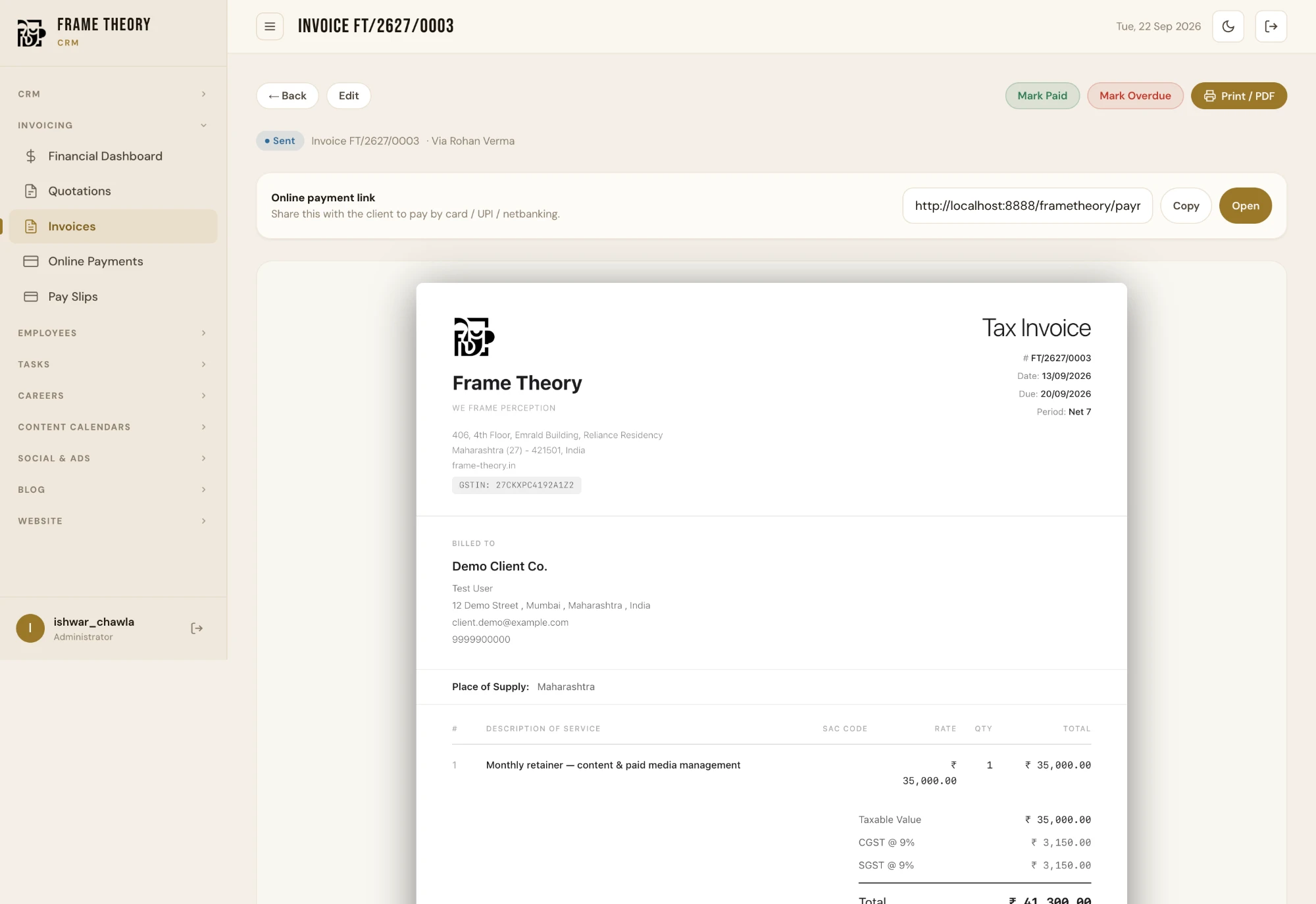
Generate a clean, tax-ready invoice in a few clicks and share a payment link. When the money lands, the record updates itself.
-
Tax-ready invoicesCGST, SGST and IGST handled, with your branding and a print-ready PDF.
-
Online payment linkClients pay by card, UPI or netbanking from a link you can share anywhere.
-
Status at a glanceDraft, sent, paid, overdue: know exactly who owes you what.
Plan content day by day
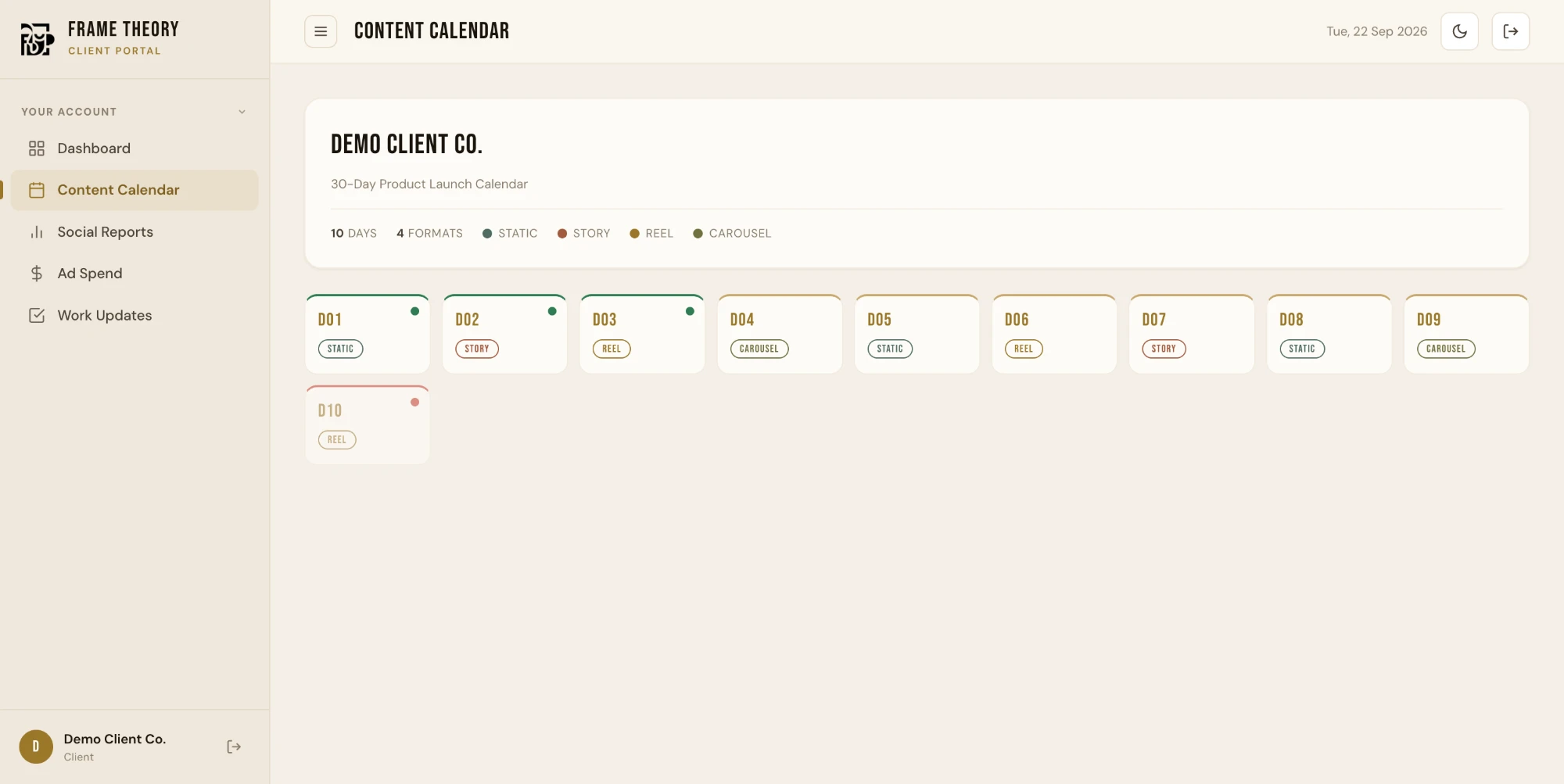
Lay out every client's posting schedule on one calendar, with the format, idea, and status of each day. Adding thirty days takes a minute, not an afternoon.
-
Bulk add daysUpload a CSV or paste rows straight from Excel or Google Sheets.
-
Formats and statusStatic, story, reel or carousel, and pending, completed or cancelled.
-
Bulk actionsSelect many days at once and mark them done or clear them in one go.
Give clients their own portal
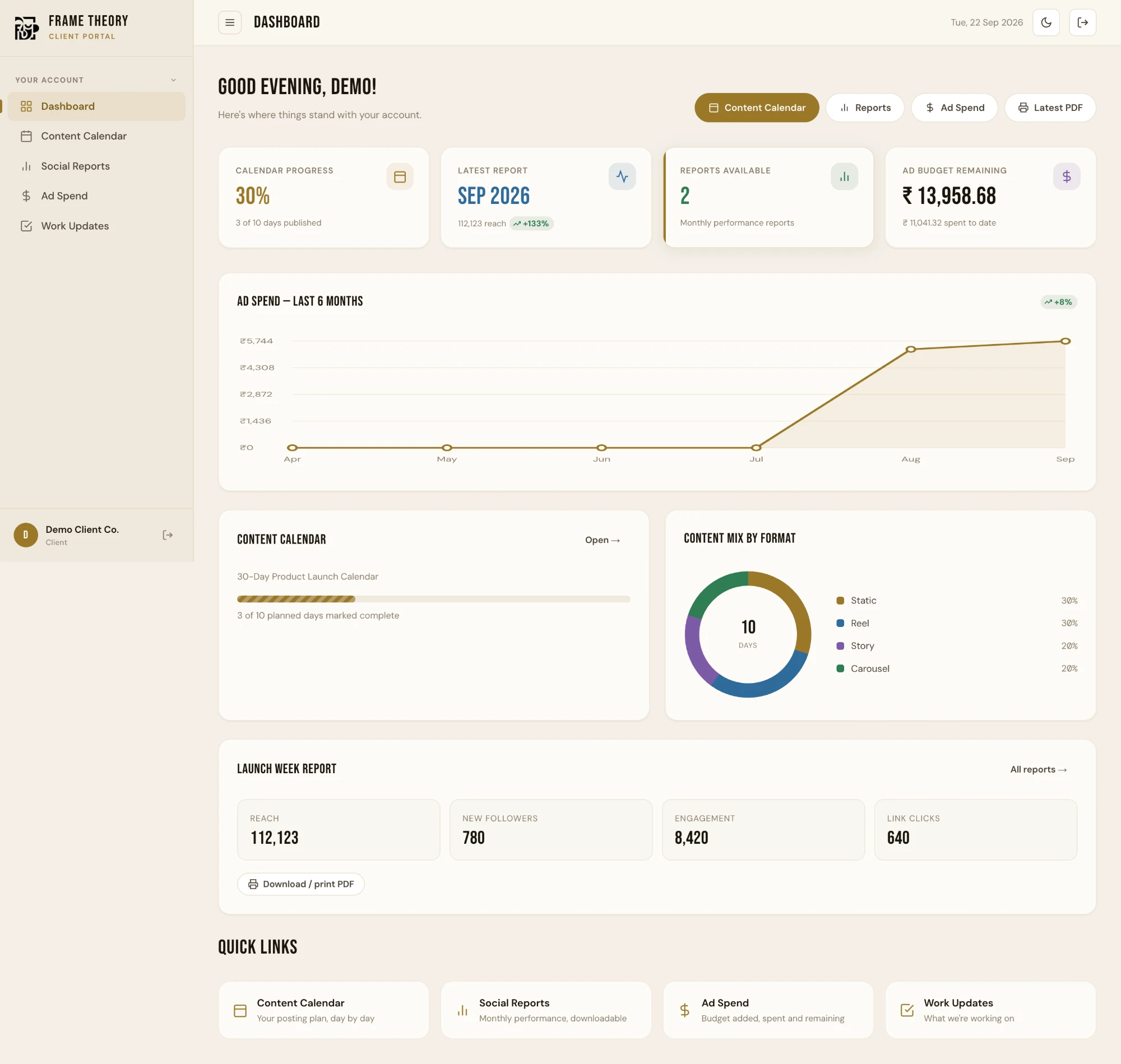
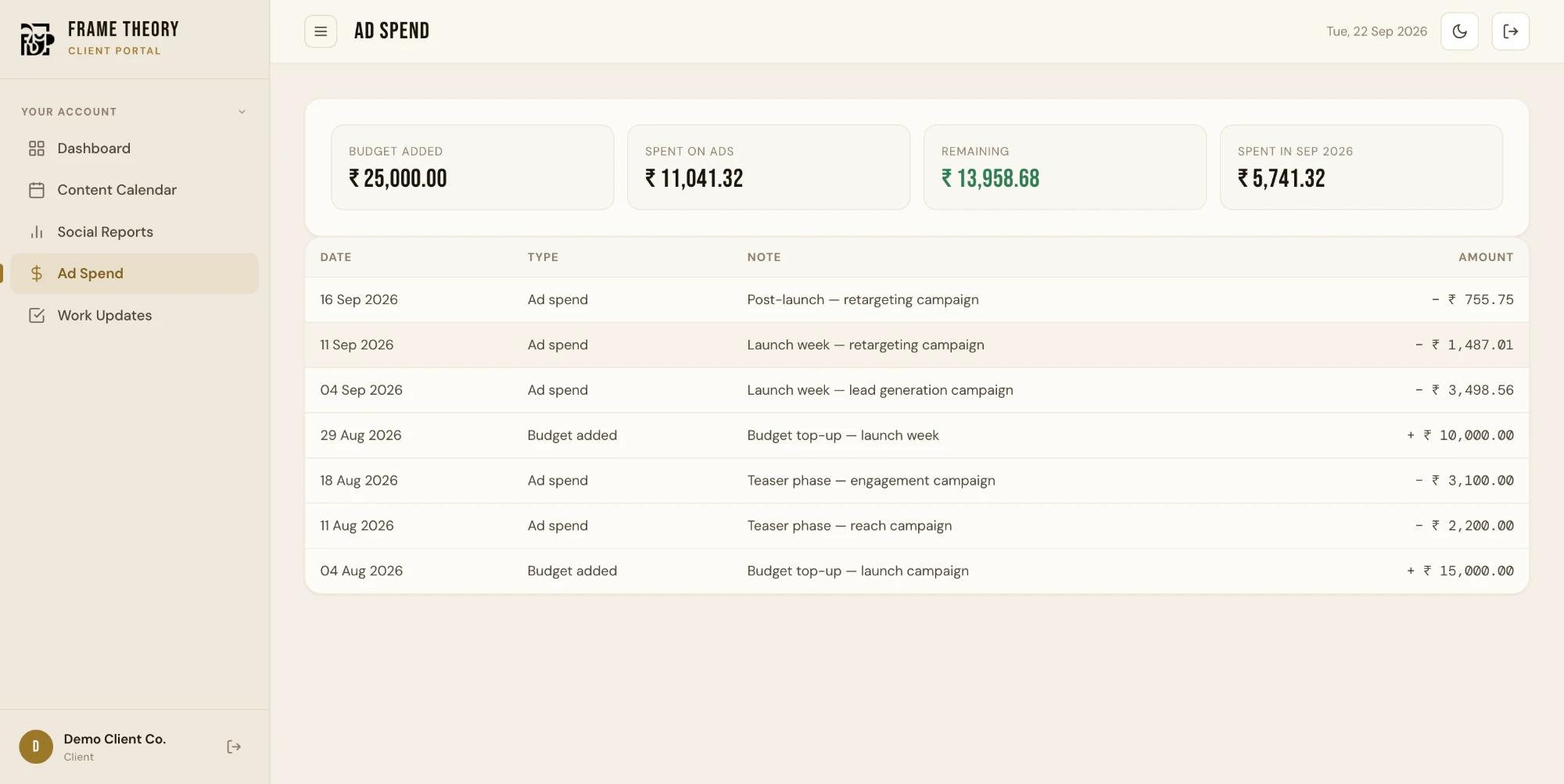
Each client gets a branded login to see their content calendar, monthly reports, and ad spend. The "can you send me an update?" messages stop.
-
Their data onlyEvery client sees their own work and nothing from anyone else.
-
Reports they can downloadMonthly performance reports with a download or print option.
-
Ad budget in viewBudget added, spent and remaining, updated as you log it.
Run your team from the same place
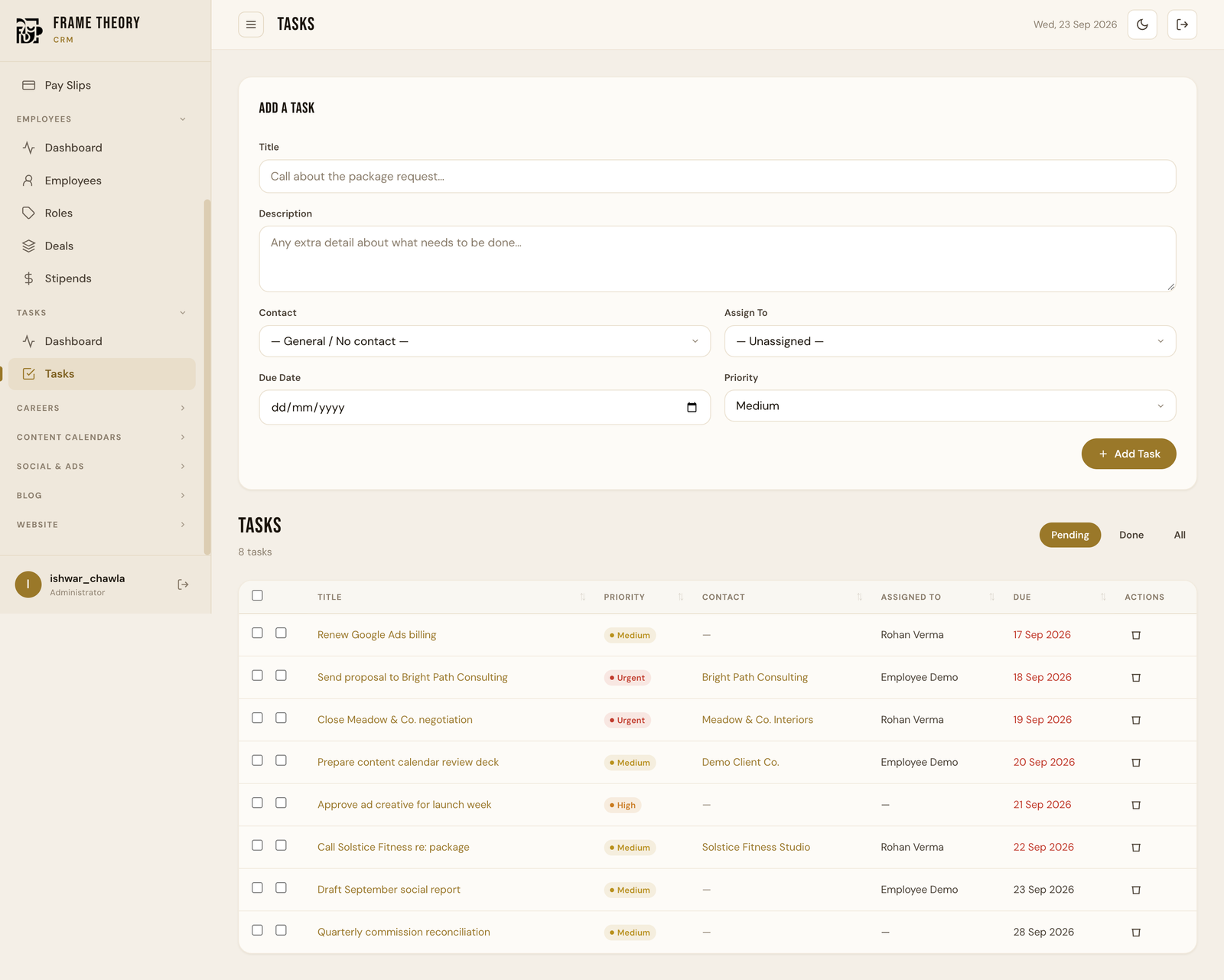
Assign work, track who is doing what, and handle payslips and commissions without a separate tool. Each person only sees the parts of the system you give them.
-
Tasks with ownersPriority, due date and assignee on every task, with overdue items flagged.
-
Payslips and stipendsGenerate payslips and track stipends against employee records.
-
Role-based accessDecide which modules each team member can open.
See the numbers that run your business
Live dashboards for leads, revenue, what is outstanding, and team workload. The picture you used to build by hand at month end is just there.
-
Sales and lead trendsNew leads, sources and pipeline health over time.
-
Money in and owedRevenue, outstanding amounts and overdue invoices, side by side.
-
Built around youWe choose which numbers matter for your business and put them up front.
A real dashboard, not a mockup.
Every screen below is Frame Theory OS running on sample data, captured straight from the live product.
Straight answers.
What is Frame Theory OS?
A custom-built business management dashboard, combining a CRM and sales pipeline, a branded client portal, content planning, invoicing and payroll, and team task management, whichever your business needs, in one system. It's built to run Frame Theory's own company, and every business we build it for gets their own version, rebuilt around their branding and their workflows, not a shared off-the-shelf app.
Who is it for?
Any business, not just agencies. Real estate firms, clinics, retailers, manufacturers, and service businesses of every kind use it to manage customers, ongoing work, invoices, and a team, especially ones still spread across spreadsheets, WhatsApp, and five separate tools.
How is it different from a generic CRM?
It's built around your business rather than sold as one fixed product. It can bundle a branded client-facing portal, content planning with bulk CSV/Excel import, invoicing and payroll, and team task tracking: whichever modules your business actually needs, all built from real daily use rather than a feature checklist.
Can my clients see their own dashboard?
Yes, each client gets a branded portal login to see their own content calendar, reports, and project status, with no visibility into other clients' data.
How much does it cost?
Pricing depends on team size and which modules you need. Book a free demo and we'll put together a proposal for your business, no cost or obligation to see it.
Is my data secure?
Frame Theory OS runs in the cloud with role-based logins, so team members and clients only ever see what they're permitted to see.
See it running with your own data.
Book a free, no-obligation tour of Frame Theory OS. We'll walk you through the exact dashboard Frame Theory uses to run its own business, and talk through what it would look like custom-built for yours, whatever that business is.